One of eufy’s biggest selling points has always been local storage — cameras that record to a HomeBase or microSD card without any mandatory subscription. That model remains intact in 2026, and most eufy owners will never need to pay a recurring fee for their cameras to function fully. However, eufy does offer an optional cloud backup service for buyers who want off-site video storage. This guide covers exactly what the free tier includes, what the paid plans add, how the pricing breaks down, and when it actually makes sense to pay.
What You Get Without Any Subscription
eufy’s no-subscription storage is genuinely capable — more so than most competitors at the same price point. Without paying anything beyond the hardware, eufy cameras provide:
- Unlimited live streaming — view any camera from anywhere via the eufy Security app
- Local event recording — motion-triggered clips saved to a HomeBase or microSD card at no cost
- AI detection — free — person, vehicle, and pet detection included without a subscription on all current models
- Two-way audio
- Custom activity zones — define which areas of the frame trigger alerts
- HomeBase local storage — the eufy HomeBase S380 supports expandable storage up to 16TB via an internal HDD or SSD drive, covering months or years of footage for multiple cameras
- microSD card recording — standalone cameras with a card slot record locally with no ongoing cost
The key limitation of local-only storage is physical vulnerability. If a camera or HomeBase is stolen, damaged, or destroyed in a break-in, the footage on it goes with it. A cloud backup plan ensures that clips captured before the incident remain accessible regardless of what happens to the hardware.
eufy Cloud Backup Plans and Pricing
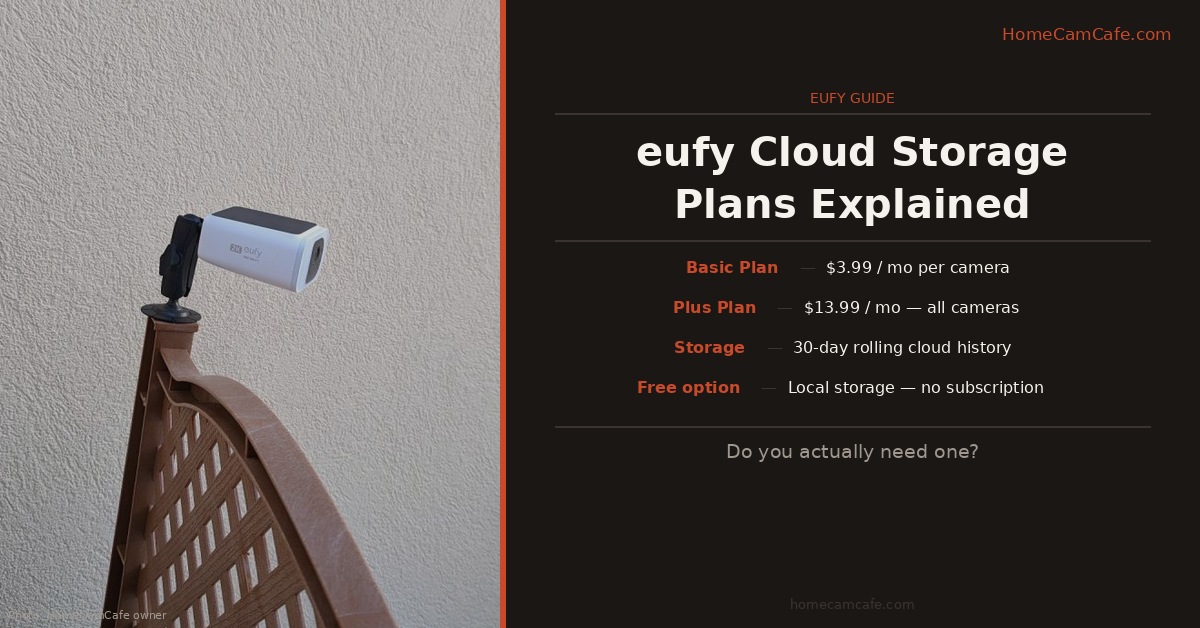
eufy calls its cloud service “Cloud Backup” and structures it in two tiers — Basic and Plus — with monthly and annual billing options. All plans provide 30 days of rolling video history stored on AWS servers with end-to-end encryption.
| Plan | Devices | Monthly | Annual | Annual/mo |
|---|---|---|---|---|
| Basic | 1 camera | $3.99 | $39.99 | ~$3.33 |
| Basic | 2 cameras | $7.99 | $79.99 | ~$6.67 |
| Plus | All cameras | $13.99 | $139.99 | ~$11.67 |
A few important clarifications on how the plans work. The Basic plan covers a fixed number of cameras — purchasing the same Basic plan twice extends the service period on the original device rather than adding a second camera. To cover multiple devices, a higher-tier plan or the two-device Basic plan is required. The Plus plan is the all-devices option, covering every camera on the account for a single flat fee regardless of how many cameras are registered.
There is no free cloud storage tier as eufy removed the free cloud option when they transitioned away from their older platform. Cloud backup is entirely optional and purely supplemental to local storage.
Basic vs. Plus: What’s the Actual Difference?
Both tiers provide the same 30-day rolling cloud video history and the same AWS-encrypted storage. The only meaningful difference is the number of cameras covered. Basic covers one or two cameras; Plus covers all cameras on the account. There are no additional AI features, no additional detection capabilities, and no other perks that distinguish Plus from Basic beyond device count. If only one camera is in a high-risk location that warrants off-site backup — a front door camera, for example — Basic at $3.99/month is sufficient. If cloud backup across an entire multi-camera setup is the goal, Plus at $13.99/month is the economical path.
Break-Even: When Does Plus Make Sense?
The math is simple. Basic covers two cameras for $7.99/month. Adding a third camera on the same logic would imply roughly $12/month for three cameras. Plus covers unlimited cameras for $13.99/month — so at four or more cameras, Plus is cheaper than stacking Basic plans. For anyone with a HomeBase-connected system covering a whole house, Plus at $139.99/year — about $11.67/month — is the obvious choice.
eufy Cloud vs. HomeBase Local Storage
For most eufy owners with a HomeBase S380, local storage is genuinely the stronger primary solution. The HomeBase supports up to 16TB of expandable local storage — months of footage from multiple cameras — at no ongoing cost beyond the hardware. The eufy app provides full remote access to that footage over the internet, which covers the most common use case of checking what happened while away. Cloud backup adds one thing local storage cannot: off-site redundancy. If the worst happens — a break-in, a fire, a camera stolen — cloud clips survive independently of the hardware. Whether that insurance is worth $3.99 to $13.99 per month depends entirely on the risk tolerance of the individual household and the location of the cameras.
How eufy Compares to Competitors
| Brand | Free Local Storage | Cloud (per cam/mo) | Cloud (all cams/mo) |
|---|---|---|---|
| eufy | ✓ HomeBase or microSD | $3.99 | $13.99 |
| Ring | ✗ None | $5.99 | $10.00 |
| Google Nest | ✗ 3 hours only | $8.00 | $15.00 |
| Wyze | ✓ microSD | $2.99 | $9.99 |
eufy’s position in this comparison is distinctive: it is the only brand on the list that offers free local storage robust enough to replace cloud storage entirely for most users. Ring and Nest require subscriptions to store any meaningful footage at all. eufy’s cloud plan pricing is mid-range — more expensive than Wyze, cheaper than Ring and Nest on a per-camera basis. Furthermore, the HomeBase’s expandable local storage up to 16TB makes it genuinely competitive with cloud storage in terms of retention depth, at a one-time hardware cost rather than a recurring fee.
Frequently Asked Questions
Do eufy cameras work without a cloud subscription?
Yes, fully. Live streaming, AI detection, motion alerts, activity zones, and local recording via HomeBase or microSD all function completely without any subscription. Cloud backup is entirely optional.
How long does eufy store cloud clips?
All cloud backup plans retain footage for 30 days on a rolling basis. Clips older than 30 days are deleted automatically.
Is eufy cloud storage secure?
eufy stores cloud footage on AWS servers and uses end-to-end encryption. The eufy app is the only access point for account footage — eufy staff cannot view live streams or recorded clips.
Can I use cloud backup and local storage at the same time?
Yes. eufy cameras can write clips to local storage and simultaneously upload them to the cloud. This dual-backup approach is the strongest configuration — local storage for immediate access and the HomeBase’s large capacity, cloud backup for off-site redundancy.
What happens to my cloud clips if I cancel?
When a cloud backup subscription expires, no new clips are uploaded to the cloud. Previously stored clips remain accessible until their 30-day rolling history expires. After that, only local storage footage remains.
Bottom Line
For most eufy owners with a HomeBase, local storage alone is sufficient — the free local recording capability is more robust than what most competitors charge for. Cloud backup makes the most sense for outdoor cameras in high-theft-risk locations where losing the hardware could also mean losing critical footage. At $3.99/month for one camera or $139.99/year for all cameras, the pricing is reasonable if that off-site redundancy matters. For a single front door camera, Basic is the right call. For a full multi-camera setup, Plus at $139.99/year is the only tier worth considering.