A power outage takes down wired security cameras immediately — and in most cases takes the router and modem with them, cutting off cloud-dependent cameras even if they had battery backup of their own. A UPS (uninterruptible power supply) solves this by providing instant battery backup the moment power fails, keeping cameras, routers, and modems running without any interruption. This guide covers what to buy, how to size it correctly, and how local storage changes the equation.
What a UPS Does
A UPS sits between the wall outlet and your devices. When power fails, it switches to its internal battery instantly — fast enough that connected devices never notice the interruption. Unlike a generator, which takes several seconds to start, a UPS transfers in milliseconds. Cameras stay online, the router keeps routing, and the modem maintains its internet connection for as long as the battery holds.
A UPS also provides surge protection, which guards against the voltage spikes that occur when power restores after an outage. These spikes can damage electronics, including camera hardware. A good UPS handles both directions of the power problem.
Two Scenarios: With and Without Local Storage
The right UPS setup depends on whether your camera has local storage.
Camera without local storage (Ring, Nest): These cameras require both power and internet connectivity to function. During an outage, you need UPS coverage on three devices — the camera, the router, and the modem. If any one of those loses power, the camera goes offline. This is the more complex and expensive configuration.
Camera with local storage (Tapo, Wyze, eufy, Arlo): These cameras record to a microSD card or local hub regardless of internet connectivity. During a power outage, you only need UPS coverage on the camera itself — the router and modem can go down and the camera keeps recording locally. When power restores, the internet connection comes back and cloud sync resumes. This is the simpler and less expensive configuration.
The practical takeaway: A camera with a microSD card dramatically simplifies battery backup. You only need to keep the camera powered, not the entire internet infrastructure. A single small UPS on the camera covers you. For cameras without local storage, budget for UPS coverage on camera, router, and modem together.
Which UPS to Buy
UPS capacity is measured in VA (volt-amperes). A security camera typically draws 5-15W, a router 10-20W, and a modem 10-15W. The total load across all three is well within the range of a standard home UPS.
For camera only (local storage cameras): The APC BE600M1 600VA UPS is the right size — compact, wall-mountable, seven outlets with five battery-backed, and a replaceable battery for long-term use. It keeps a wired camera running for several hours on a single charge. Around $60-70.
For camera, router, and modem together: The APC BX1500M 1500VA UPS handles multiple devices with headroom to spare. Ten outlets, AVR voltage regulation, LCD display showing battery status and remaining runtime. Better suited if the router and modem are near the camera location. Around $130-150.
For tight spaces or remote camera locations: A Mini UPS is a compact DC-powered unit designed specifically for routers, modems, and cameras. Models like the Mini UPS battery backup units run on a built-in lithium battery, provide 5V-12V DC output compatible with most cameras and routers, and are far more compact than traditional UPS systems. Runtime varies by capacity — 15,000-20,000mAh units provide several hours for a camera and router. Under $40 for most models.
Placement and Setup
The UPS needs to be physically near the devices it is backing up. For a wired camera at the front door with a router in a central closet, two separate units may be needed — one near the camera for camera power, one near the networking equipment for the router and modem. Running a single large UPS to cover devices in different rooms is not practical.
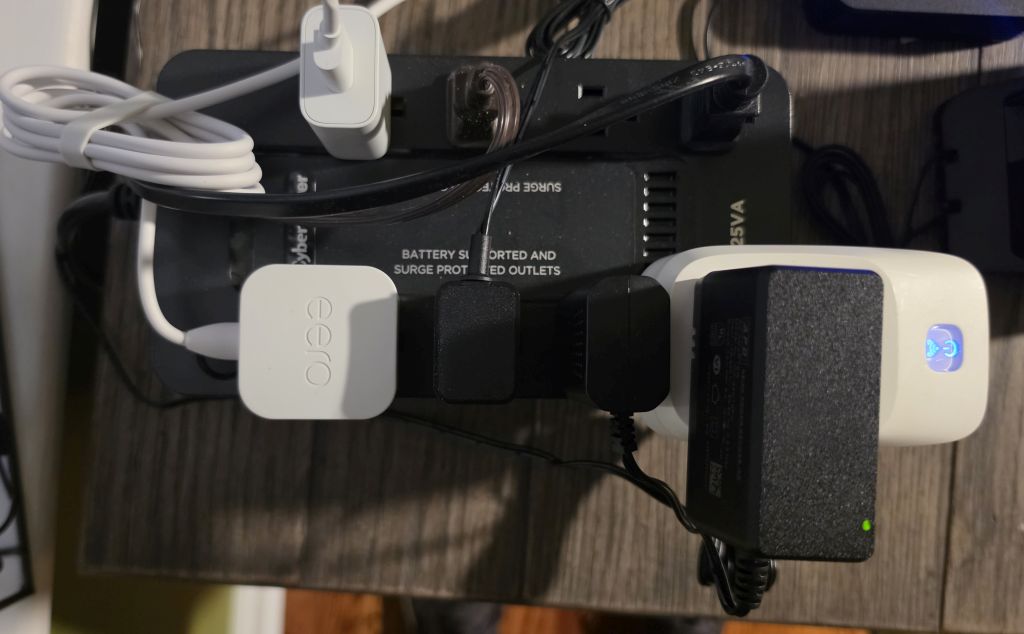
Plug the camera and any other critical devices into the battery-backed outlets — these are typically labeled differently from the surge-only outlets on the back panel. Surge-only outlets provide spike protection but no battery backup. Confirm the camera is in a battery-backed outlet before considering the setup complete.
Most UPS units beep when running on battery. This is useful for alerting household members during an outage but can be disruptive at night. Check the manufacturer’s documentation for how to silence the alarm if needed — most APC models allow this via a button hold during battery operation.
How Long Will It Last?
Runtime depends on the VA rating of the UPS and the total wattage of connected devices. A 600VA UPS powering a single 10W camera can run for several hours. The same UPS powering a camera, router, and modem at a combined 40W load runs for roughly 30-60 minutes — enough to cover most residential outages but not extended ones. For locations with frequent long outages, a higher-capacity UPS or a generator is the better solution.
Bottom Line
A UPS is the simplest way to keep a wired security camera running during a power outage. For cameras with local storage — Tapo, Wyze, eufy, Arlo — a single 600VA UPS on the camera itself is sufficient. For cameras without local storage — Ring, Nest — cover the camera, router, and modem together. The APC BE600M1 handles most single-device setups, the APC BX1500M handles multi-device configurations. A Mini UPS is worth considering for compact or remote installations where a full-size UPS is impractical.
See also: Alternative Power Sources for Home Security Cameras and How Cloud Outages Affect Home Security Cameras.
This guide is part of our How-To Guides.