
The Reolink Argus 4 Pro combines a stitched 4K panoramic image, a 180-degree horizontal view and ColorX full-color night vision in a wire-free outdoor camera. It also provides person, vehicle and animal detection without charging a subscription fee. This Reolink Argus 4 Pro review explains where that unusually wide view works well, where the battery design creates compromises and why the exact package matters when shopping for the camera and solar panel.
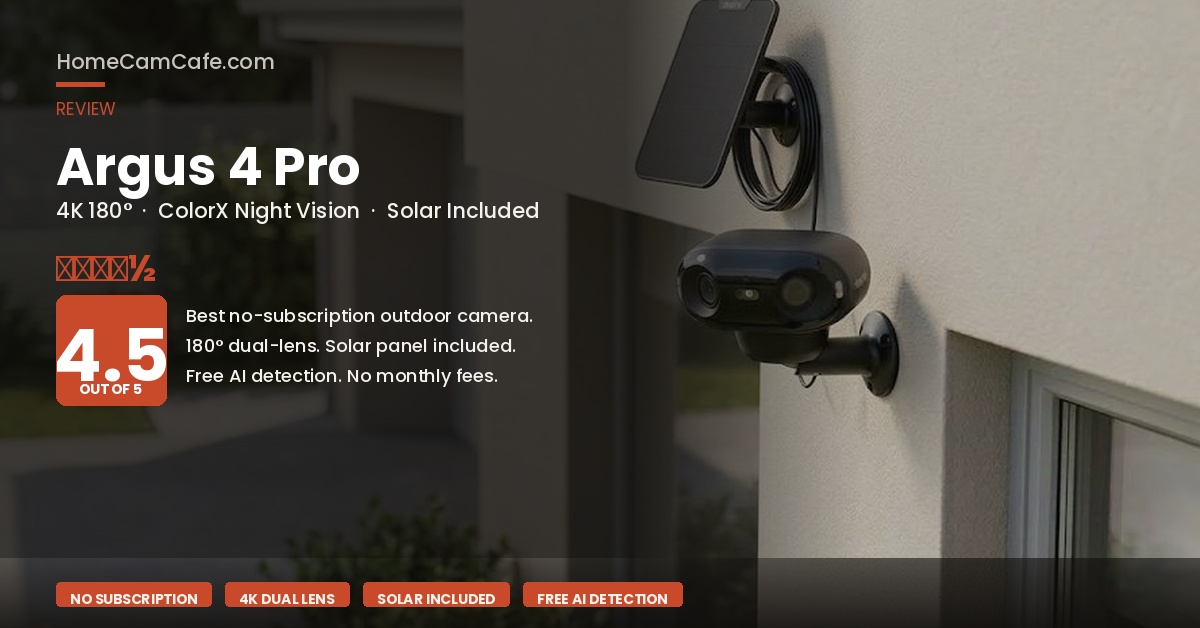
The Argus 4 Pro solar package linked here includes the camera and solar panel. Reolink also sells camera-only and camera-plus-panel configurations, so check the package contents before ordering.
Reolink Argus 4 Pro Specs
| Resolution | 5120 × 1440, 8MP panoramic image at up to 15fps |
| Lens and View | Twin 4mm lenses, 180° horizontal and 50° vertical view |
| Night Vision | ColorX full-color low-light imaging, plus integrated spotlights |
| Battery | Built-in 5,000mAh rechargeable battery |
| Solar | Compatible with Reolink Solar Panel 2; included only in selected bundles |
| Wired Charging | 5V/2A through USB-C using a USB-A-to-USB-C cable |
| Local Storage | microSD up to 512GB; optional Reolink Home Hub |
| AI Detection | People, vehicles and animals without a subscription |
| Weather Rating | IP66 |
| Connectivity | Dual-band 2.4GHz/5GHz Wi-Fi 6; Bluetooth used during setup |
| Smart Home | Amazon Alexa and Google Assistant; no Apple HomeKit |
| Cloud Storage | Reolink Cloud available in selected countries |
The 180° Dual-Lens Design
The defining feature is the dual-lens design. Two 4mm lenses capture adjacent views that the camera stitches into one 5120 × 1440 panoramic image. The finished video is 8MP and spans 180 degrees horizontally, allowing one camera to cover a wide driveway, backyard or front approach without leaving the large center blind spot created by two separately aimed cameras.
That wide coverage is the Argus 4 Pro’s strongest advantage, but it also explains its specialized fit. A 180-degree view makes sense when the camera can look across an open area. It is less useful for a narrow walkway, doorway or side yard where much of the panoramic frame would be wasted.
The panoramic image records at a maximum of 15 frames per second. Stationary details remain sharp, but fast-moving people and vehicles will not look as fluid as footage from a 30fps camera. The wide image also spreads its pixels across a large scene, so it should not be treated as a substitute for a narrow-angle camera aimed specifically at distant license plates.
ColorX Night Vision: Excellent With Some Ambient Light
ColorX uses an F/1.0 aperture and a large 1/1.8-inch sensor to collect more available light than a typical battery camera. On a property with a porch light, streetlight or other ambient illumination, it can produce useful full-color video without turning on the camera’s spotlights. That helps preserve natural-looking footage and avoids the bright white light some homeowners do not want activating repeatedly.
It is important not to interpret ColorX as complete-darkness night vision. The Argus 4 Pro has no infrared black-and-white mode. When a location is genuinely dark, image quality falls and the integrated spotlights may be needed. A conventional infrared camera can be a better fit for an unlit rural yard, wooded property or other location with almost no ambient light.
Battery note: Reolink claims ColorX provides up to 30 percent more battery life than an infrared 4K camera during nighttime laboratory testing. That comparison is limited to Reolink’s stated test conditions, not a promise of 30 percent longer battery life in every installation.
Motion Detection and Alerts
Reolink pairs the panoramic camera view with a 170-degree horizontal PIR sensor rated for detection at up to 33 feet. Person, vehicle and animal classification run without a paid plan, and the app lets you adjust PIR sensitivity, object detection and motion zones.
The camera’s 180-degree video view is slightly wider than its 170-degree PIR coverage, so the extreme edges of the picture are not identical to the heat-detection area. That distinction matters when positioning the camera. Aim the center of the PIR coverage across the path a person will travel rather than assuming every visible pixel has equal detection sensitivity. If false alerts become a problem, our Reolink detection alarm settings guide explains how to tune zones and notification types.
Battery and Solar Power
The built-in 5,000mAh battery is not user removable. Reolink estimates approximately two months per charge when the camera records 300 seconds per day. Motion frequency, clip length, live viewing, Wi-Fi strength, temperature and spotlight use can shorten that estimate considerably.
For wired charging, Reolink specifies a 5V/2A charger and the supplied USB-A-to-USB-C cable. The company’s claim that ten minutes of charging can provide approximately 24 hours of operation refers to charging the battery under its test conditions. It should not be rewritten as ten minutes of sunlight providing a full day of operation.
Solar is the better long-term setup when the mounting location receives dependable direct sunlight. The camera supports the 6W Reolink Solar Panel 2, but the panel is not included with every Argus 4 Pro configuration. The retailer package linked in this review includes it; Reolink’s camera-only package does not. Verify the selected option because sellers can change bundles without changing the camera name.
Storage Without a Required Subscription
The Argus 4 Pro can save motion-triggered clips to a microSD card up to 512GB. Local recording, live view, notifications and person, vehicle and animal detection do not require Reolink Cloud. Cloud storage is supported only in selected countries, so it should be treated as an optional regional service rather than the camera’s main storage method.
A Reolink Home Hub provides centralized local storage and lets compatible battery cameras participate in a larger Reolink system. That is useful for households with several cameras or anyone who does not want the only copy of an event stored inside the camera that recorded it. For a single-camera installation, a properly sized high-endurance microSD card is the simpler option. Our microSD card guide for security cameras explains capacity and endurance ratings.
Installation and App
The camera package includes a security bracket, mounting plate, strap and charging cable. The strap can secure the camera to a tree or pole without drilling, while the bracket provides a more permanent wall installation. Initial setup uses Bluetooth to help connect the camera to a 2.4GHz or 5GHz Wi-Fi network.
The Reolink app provides motion zones, PIR sensitivity, alert schedules, siren controls, spotlight settings and playback. The menus are reasonably organized, although the number of detection and notification controls can take time to learn. The wide image also benefits from careful placement before the mount is tightened, because a small change in angle affects a large portion of the panoramic scene.
What We Like and What We Don’t
What stands out: The 180-degree panorama can replace two conventional viewing angles in the right location. The ColorX sensor produces useful color footage when ambient light is available, and Reolink includes its important AI detection features without forcing buyers into a monthly plan.
15fps video: The panoramic 4K image is detailed, but motion is less fluid than on a 30fps camera.
No infrared fallback: ColorX needs some ambient light unless the spotlights are used. Completely dark properties may be better served by an infrared model.
Non-removable battery: The entire camera must be brought to a charger if solar power is unavailable. A swappable pack would be easier for high-traffic locations.
No Apple HomeKit: Reolink officially lists Alexa and Google Assistant compatibility, but not Apple HomeKit.
Argus 4 Pro vs. Tapo C425 vs. Arlo Pro 6
The Argus 4 Pro is the wide-coverage choice. The Tapo C425 is a simpler 2K camera with a magnetic mount and built-in battery, while the Arlo Pro 6 offers a removable battery and a more cloud-centered feature set.
| Argus 4 Pro | Tapo C425 | Arlo Pro 6 | |
|---|---|---|---|
| Resolution | 8MP panorama | 2K QHD | 2K HDR |
| Field of View | 180° horizontal | 142° | 160° diagonal |
| Battery | Built in, 5,000mAh | Built in | Removable |
| Solar Panel | Bundle-dependent | Optional or kit | Optional |
| Local Recording | microSD or Home Hub | microSD up to 512GB | Compatible SmartHub required |
| Smart Detection | Free people, vehicles, animals | Free people, pets, vehicles | Advanced features tied to Arlo Secure |
Who Should Buy the Reolink Argus 4 Pro?
Buy the Argus 4 Pro when one mounting position needs to cover a very wide driveway, backyard or front property line and running power or Ethernet would be difficult. It is especially compelling for buyers who want local storage and useful AI alerts without a required subscription.
Choose something else for a narrow doorway, a completely dark location or a busy area where a removable battery would be easier to manage. The Tapo C425 is a strong alternative for a simpler field of view and magnetic mounting. The Arlo Pro 6 makes more sense when a swappable battery and Arlo’s cloud ecosystem matter more than free local features.
Frequently Asked Questions
Does the Reolink Argus 4 Pro Require a Subscription?
No. Live view, motion alerts, person, vehicle and animal detection, and recording to a microSD card work without a paid plan. Reolink Cloud is optional where available.
Does the Argus 4 Pro Come With a Solar Panel?
Some packages include the 6W Reolink Solar Panel 2 and others contain only the camera. The retailer bundle linked in this review includes a panel, while Reolink also offers a camera-only option. Always check the selected package contents.
What Is the Difference Between the Argus 4 and Argus 4 Pro?
Both use a dual-lens panoramic design with 4K output. The Pro’s main advantage is its larger ColorX sensor and F/1.0 aperture, which can provide full-color low-light video without turning on the spotlights. The standard Argus 4 needs its spotlights to produce color footage at night.
What microSD Card Works With the Argus 4 Pro?
Reolink supports Class 10 microSD cards up to 512GB formatted as FAT32. A high-endurance card is preferable because security cameras repeatedly write and overwrite event clips.
Does the Argus 4 Pro Work With Apple HomeKit?
No. Reolink officially supports Amazon Alexa and Google Assistant, but it does not list Apple HomeKit compatibility for the Argus 4 Pro.
For more owner-tested Reolink coverage, visit our Reolink camera reviews and guides or compare this battery model with our Reolink Duo 3 PoE review.
HomeCamCafe Verdict
4.5 / 5
The Reolink Argus 4 Pro is one of the strongest no-subscription battery cameras for covering a wide outdoor area. Its 180-degree panoramic image, ColorX low-light performance, free AI detection and local storage create a capable package without recurring fees. The 15fps frame rate, built-in battery and lack of infrared night vision are meaningful compromises, but none outweigh the camera’s advantages when panoramic coverage is the priority.
Best for: Wide driveways, backyards, subscription-free local recording and solar installations.
Consider instead: Tapo C425 for a simpler view and magnetic mounting, or Arlo Pro 6 for a removable battery.
