One of the biggest selling points of the top rated Tapo D225 Video Doorbell or Tapo C425 and other Tapo cameras is that the most useful features — AI detection, activity zones, local storage — work completely free without a subscription. TapoCare is the optional cloud storage service that adds video history in the cloud and richer notifications on top of what’s already included. Pricing is tiered by the number of cameras covered, and TP-Link doesn’t make the full rate card easy to find without logging in. Here’s a breakdown of what TapoCare actually costs, what it adds, and how to decide whether it’s worth paying for.
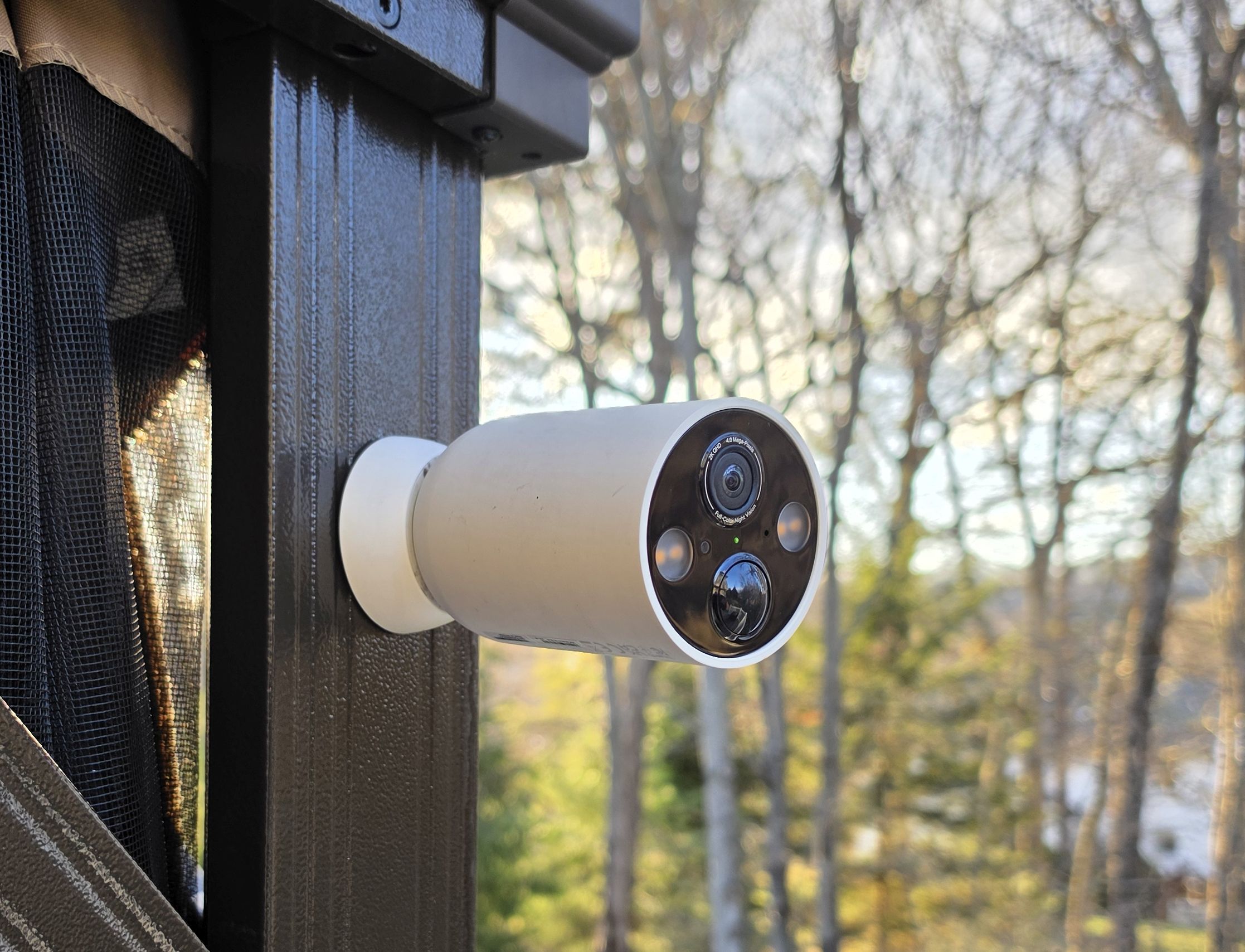
What Tapo Cameras Include for Free
Before getting into TapoCare, it’s worth being clear about what Tapo cameras offer at no cost — because it’s more than most competing brands. Without any subscription, Tapo cameras provide live streaming, motion alerts, AI object detection (people, pets, vehicles), customizable activity zones, and local storage via a microSD card up to 512GB. Additionally, a 30-day free trial of TapoCare cloud storage activates automatically when a new Tapo camera is set up, giving time to evaluate the cloud features before deciding whether to pay.
For a comparison of TapoCare cloud storage against local hub and microSD options, see our Tapo Care vs Hub vs MicroSD guide.
In contrast, cameras from Arlo, Ring, and Nest require a paid subscription to unlock AI detection and video history. That makes Tapo’s free offering unusually generous, and for many users, a TapoCare subscription is genuinely optional rather than necessary.
Free tier summary: Live view, motion alerts, AI detection (people/pets/vehicles), activity zones, and local microSD storage — all without paying anything. TapoCare adds cloud video history on top of this.
TapoCare Pricing
Four tiers are available. Pricing is not prominently displayed on TP-Link’s public site — the full rate card only appears after logging into the Tapo app or account portal. Annual billing saves 16% compared to paying monthly. The table below reflects current US pricing.
| Devices Covered | Monthly | Annual (save 16%) | Annual Per Camera |
|---|---|---|---|
| 1 device | $3.29/mo | $32.99/yr | $32.99 |
| 2 devices | $6.59/mo | $65.99/yr | $33.00 |
| 3 devices | $9.97/mo | $99.79/yr | $33.26 |
| 10 devices | $11.29/mo | $112.99/yr | $11.30 |
The pricing structure has an interesting quirk: the per-camera cost for 1, 2, and 3 devices is nearly identical at around $33/year per camera. However, the 10-device tier at $112.99/year works out to just $11.30 per camera annually — a dramatically lower rate. For households with four or more Tapo cameras, the 10-device plan is therefore the most cost-effective option even if all 10 slots aren’t being used.
Note on transparency: TP-Link does not display the full TapoCare rate card on its public product pages. The pricing above is only visible after logging into a Tapo account. Anyone comparing subscription costs before purchasing should be aware that the rates require an account to view in full.
What TapoCare Adds
TapoCare’s primary addition is 30 days of cloud video history. Without a subscription, Tapo cameras record motion clips locally to a microSD card but do not save anything to the cloud. With TapoCare, every motion-triggered clip is also uploaded to the Tapo cloud and retained for 30 days, accessible from anywhere through the Tapo app.
In addition to cloud storage, TapoCare provides richer push notifications — instead of a generic motion alert, the notification includes a snapshot thumbnail from the clip so the event can be assessed without opening the app. Furthermore, TapoCare enables tagging and sorting of recordings by camera, event type, or date, which makes reviewing footage from a multi-camera setup significantly easier than scrolling through a flat local storage timeline.
Local Storage vs. TapoCare: The Key Trade-Off
For most Tapo camera owners, the core question is whether cloud storage is worth paying for when local microSD storage is already available for free. There are a few scenarios where it clearly matters:
Theft scenario: If a camera is stolen — which is exactly the situation a security camera is meant to document — the microSD card goes with it. Cloud storage survives a theft because the footage is already offsite. For outdoor cameras in particular, this is a meaningful practical consideration.
Remote access: Local storage requires physical access to the camera or card to retrieve footage beyond what’s in the live buffer. Cloud storage allows reviewing 30 days of clips from anywhere via the Tapo app, which is particularly useful for vacation homes or rental properties.
Card failure: microSD cards can fail, fill up, or become corrupted. Cloud storage provides a backup that doesn’t depend on the card being functional and accessible.
On the other hand, if the camera is in a low-risk location — a garage, a covered back porch, or an indoor room — and remote access to historical footage isn’t a priority, local storage alone may be entirely sufficient. The free tier handles real-time monitoring and alerts just as well as the paid tier.
TapoCare vs. Competing Subscriptions
| Brand | Annual Cost | Cameras Covered | Cloud Storage | Free AI Detection |
|---|---|---|---|---|
| TapoCare (1 cam) | $32.99/yr | 1 | 30 days | ✓ Yes (free) |
| TapoCare (10 cams) | $112.99/yr | 10 | 30 days | ✓ Yes (free) |
| Blink Basic | $39.99 per camera | 1 | 60 days | ✗ Requires plan |
| Arlo Secure | $95.88 per camera | 1 | 30 days | ✗ Requires plan |
| Ring Basic | $49.99 per camera | 1 | 180 days | ✗ Requires plan |
| Google Home Premium | $100 (all cameras) | Unlimited | 30 days | ✗ Requires plan |
Where TapoCare stands out is in the 10-device tier. At $112.99/year for up to 10 cameras, the per-camera cost drops to just $11.30 annually — significantly cheaper than any competing brand for multi-camera coverage. However, for a single camera, TapoCare at $32.99/year is comparable to Blink Basic at $39.99/year, with the key difference being that Tapo gives AI detection free while Blink requires a plan for it.
Bottom Line
TapoCare is optional, not essential — and that’s the point. A Tapo camera with a microSD card installed is a fully functional security camera with no ongoing cost. TapoCare is worth adding for outdoor cameras where theft risk makes cloud backup valuable, for remote properties where reviewing historical footage remotely matters, or for larger households — the 10-device plan at $112.99/year works out to just $11.30 per camera annually, which is hard to beat. The pricing isn’t easy to find without logging in, but once known, it’s one of the more competitive cloud storage options in this category.
Frequently Asked Questions
Do Tapo cameras work without TapoCare?
Yes, fully. Live streaming, motion alerts, AI detection, activity zones, and local microSD storage all work without a TapoCare subscription. The only thing missing without TapoCare is cloud video history — recordings are saved locally to the card instead.
How many cameras does TapoCare cover?
TapoCare is tiered by device count — plans are available for 1, 2, 3, or 10 devices. The 10-device plan at $112.99/year is the best value for larger setups, dropping the per-camera cost to around $11.30 annually. For 1–3 cameras, the per-camera cost is roughly $33/year regardless of tier, so there’s no financial advantage to choosing a higher tier until the 10-device level.
How long does TapoCare store video in the cloud?
TapoCare stores motion-triggered video clips for 30 days on a rolling basis. Clips older than 30 days are automatically deleted. Important recordings can be downloaded to a mobile device to preserve them beyond that window.
Is TapoCare worth it for a single camera?
For a single outdoor camera in a location with theft risk or where remote access to historical footage matters, yes — $32.99/year is a modest cost for cloud backup. For a single indoor camera in a low-risk location with a microSD card installed, local storage alone is likely sufficient and the subscription isn’t necessary.
What microSD card should be used with a Tapo camera?
Tapo cameras support microSD cards up to 512GB. A high-endurance card designed for continuous recording is the right choice — standard cards wear out faster under the repeated write cycles of a security camera. The SanDisk High Endurance series is a reliable option and is purpose-built for this type of use.
This review is part of our TP-Link Tapo Security Camera Reviews guide.