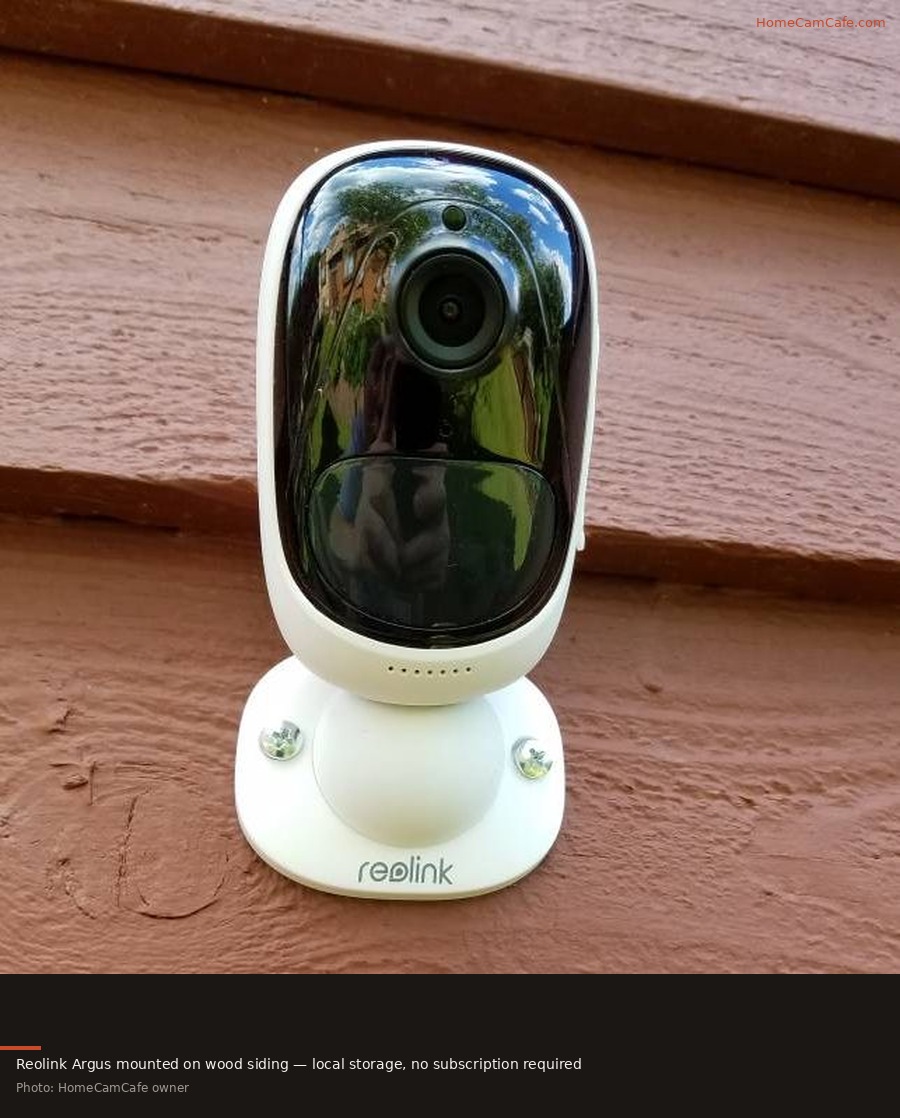
Reolink is one of the few security camera brands where the subscription question has an honest answer upfront: you probably do not need one. Every Reolink camera works fully out of the box. Person and vehicle detection, local video storage, live view, motion alerts, and activity zones all function without paying anything beyond the hardware price. Reolink Cloud is an optional add-on for buyers who want off-site backup or longer video history than a microSD card provides. This guide covers what the plans include, what they cost, and when paying actually makes sense.
What Works Free Without Any Subscription
Before covering the paid plans it is worth being explicit about what Reolink provides at no ongoing cost, because it is more than most competing brands offer for free:
- Local video recording to microSD card (up to 512GB on most models)
- Person, vehicle, and animal detection processed on-device, no cloud required
- Activity zones and motion sensitivity controls
- Live view from the Reolink app
- Motion alerts with thumbnail previews
- FTP upload to a local server or NAS
- Local NVR recording for wired camera systems
- Two-way audio
For most residential buyers, this free tier covers every meaningful use case. The only thing a subscription adds is off-site cloud backup — useful if the camera is stolen along with the microSD card, or if you want to access footage remotely without setting up a local server.
Reolink Cloud Plans (2026)
Reolink Cloud is available as a free tier and several paid tiers. The free plan provides 1GB of cloud storage — enough for a small number of short motion clips as a trial, not enough for meaningful ongoing history.
| Plan | History | Cameras | Cost |
|---|---|---|---|
| Free | 1GB storage | 1 | Free |
| Single-Device Basic | 7 days | 1 | From $3.49/mo |
| Single-Device Plus | 30 days | 1 | From $6.99/mo |
| Classic Basic | 30 days | Up to 5 | From $3.49/mo |
| Classic Plus | 30 days | Unlimited | From $17.49/mo |
Note on pricing: Reolink applies discounts that change periodically. Annual billing typically reduces monthly costs by 15-20% versus month-to-month. Check the Reolink app or website for current pricing before subscribing as these figures reflect 2026 published rates.
What the Paid Plans Add
Reolink Cloud stores motion-triggered clips on Reolink’s servers rather than on a local card. The practical value is off-site redundancy. If the camera is stolen or damaged, the cloud footage is still accessible from the app or a web browser. Video is deleted automatically after the retention window (7 or 30 days depending on plan) unless downloaded first.
One notable feature: Reolink Cloud unlocks rich push alerts that include a thumbnail image of the detected event on the phone lock screen, so you can see what triggered the alert before opening the app. This feature requires a paid plan on most battery-powered Reolink cameras.
The Alternative: Local Storage
For most Reolink camera owners, local storage is the better path. A 256GB high-endurance microSD card costs around $25-35 as a one-time purchase and stores weeks to months of motion-triggered footage depending on activity level. The Reolink Argus 4 Pro supports microSD up to 512GB and also works with the Reolink Home Hub for multi-camera local NVR storage, all free after the hardware purchase.
The math is straightforward: a $6.99/month single-device cloud plan costs $83.88 per year. A 256GB microSD card costs around $30 once. Over three years the cloud plan costs $251.64 versus $30 for local storage. For buyers whose primary concern is avoiding recurring fees, local storage wins decisively.
For a guide on choosing the right microSD card for continuous recording see the microSD card guide.
When a Reolink Cloud Plan Makes Sense
There are specific situations where paying for Reolink Cloud is genuinely worthwhile:
High-theft-risk locations — cameras monitoring a vehicle, a gate, or an entry point where the camera itself could be stolen along with the footage. Cloud backup means the evidence survives even if the hardware does not.
No microSD slot on the camera — a small number of Reolink models do not include a microSD slot. For those cameras, cloud storage is the only path to video history beyond what the app caches locally.
Multi-camera homes that want off-site redundancy — the Classic Basic plan covers up to 5 cameras for one low monthly fee, which makes the per-camera cost competitive when spread across multiple devices.
Remote properties — vacation homes or second properties where physically accessing a microSD card to retrieve footage is impractical. Cloud access from anywhere is genuinely useful in that scenario.
How Reolink Compares to Other Brands
The no-subscription-required standard Reolink sets is meaningfully different from how Ring and Nest handle the same question. Ring and Nest provide no video history without a paid plan meaning live view and alerts work free but any event that passes is gone permanently without a subscription. Reolink cameras continue recording to local storage and providing AI detection entirely free. The subscription is genuinely optional rather than effectively required for basic functionality.
Compared to Wyze and Tapo, both of which also offer free local storage ,Reolink’s cloud pricing is comparable and its free tier feature set is similarly strong. The Wyze subscription guide and the TapoCare plans guide cover those options in detail.
Bottom Line
Most Reolink camera owners do not need a cloud subscription. Local microSD storage covers video history free, on-device AI handles detection free, and the full app feature set works without paying anything ongoing. The paid Reolink Cloud plans are worth considering for high-theft-risk locations where off-site backup matters, for remote or vacation properties, or for multi-camera homes where the Classic Basic plan spreads the cost across several cameras. For everyone else, a good microSD card is the more cost-effective answer.
This guide is part of our Security Camera Subscription Plans section.